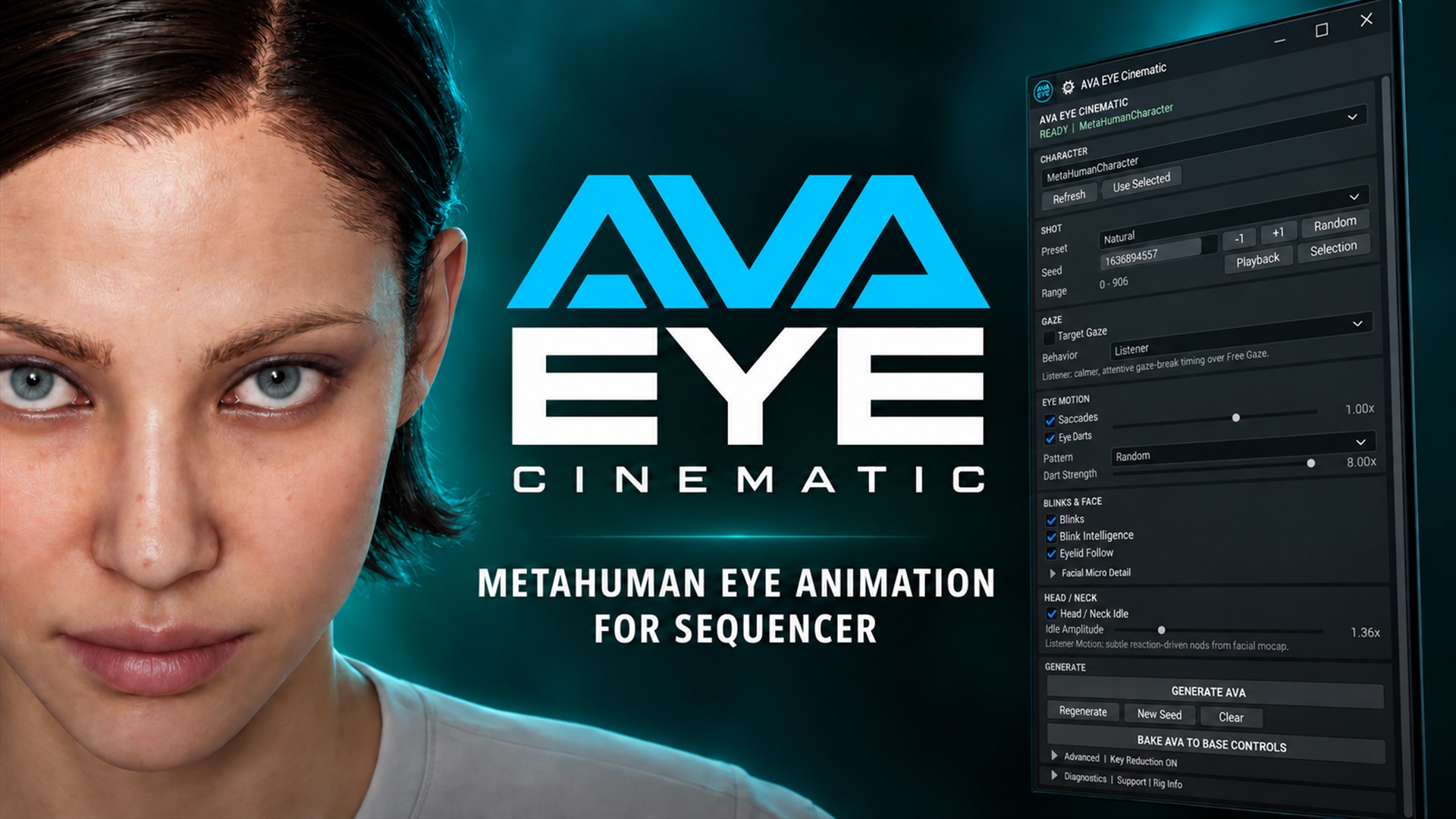
Живий погляд у Sequencer — від першого кліка до фінального кадру
AVA EYE Cinematic створює керовану процедурну анімацію очей, моргань і голови для MetaHuman, не руйнуючи початкову facial animation.
Version 1.1.1Unreal Engine 5.8.xWindows 64-bitEditor / SequencerRelease Manual
ВідкрийтеLevel Sequence
ВиберітьMetaHuman і діапазон
Налаштуйтепогляд і рух
ЗавершітьGenerate → перевірка → Bake
01 / ОСНОВА
Що робить AVA EYE Cinematic
Плагін додає поверх наявної анімації керовану eye-performance систему: основні саккади, дрібні Eye Darts, моргання, реакцію повік, мікродеталі обличчя та рух голови/шиї. Робота виконується всередині Level Sequencer на Control Rig вибраного MetaHuman.
A
Free Gaze
Вільний процедурний погляд без об’єкта-цілі. Saccades та Eye Darts працюють незалежно одне від одного й не потребують увімкненого Target Gaze.
B
Target Gaze
Точний погляд на TargetPoint, Actor, камеру або Sequencer spawnable. Ціль можна закріпити біля голови або анімувати у світовому просторі.
До фінального Bake початкова анімація залишається недоторканою
AVA створює окремі секції з позначкою [Managed]. Команда Clear видаляє лише результат AVA та повертає початковий стан секвенції. BAKE AVA TO BASE CONTROLS — окремий фінальний крок, що об’єднує поточні шари в базові шари Control Rig.
02 / ПІДГОТОВКА
Перед початком
Вимоги
Unreal Engine 5.8.x на Windows 64-bit.
Плагіни Unreal Python Editor Script Plugin, Control Rig і Sequencer Scripting.
Level Sequence з MetaHuman Face Control Rig.
Для Head / Neck — MetaHuman Body Control Rig або сумісний Unreal FK Control Rig із bone-controls head і neck_01.
Встановлення
Закрийте Unreal Editor перед заміною або оновленням версії плагіна.
Скопіюйте папку AVA_EyeAnimator до <Project>/Plugins/.
Відкрийте проєкт і дозвольте Unreal зібрати Editor-модуль, якщо з’явиться відповідний запит.
Відкрийте Tools → AVA EYE Cinematic і закріпіть панель у зручному місці інтерфейсу.
Панель відкривається через Tools → AVA EYE Cinematic. Натисніть зображення, щоб переглянути його в повному розмірі.
Якщо у вас є лише Animation Sequence
Спочатку додайте її на Face track MetaHuman у Sequencer і підготуйте або запечіть на MetaHuman Face Control Rig. AVA працює з Control Rig у Sequencer і не змінює Animation Sequence asset безпосередньо.
03 / ПЕРШИЙ РЕЗУЛЬТАТ
Швидкий старт: тест на 5–10 секунд
Відкрийте потрібну Level Sequence і встановіть Playback Range на короткий фрагмент.
У панелі Character натисніть Refresh і виберіть MetaHuman.
У Shot виберіть Natural, потім натисніть Playback.
Натисніть GENERATE AVA і відтворіть фрагмент у реальному часі.
Змініть Seed або натисніть New Seed, щоб швидко отримати інший варіант.
На тестовій копії натисніть Clear, щоб переконатися: початкова facial animation повністю відновлюється.
Після затвердження результату знову виконайте Generate/Regenerate, збережіть копію Level Sequence і натисніть BAKE AVA TO BASE CONTROLS.
Рекомендований принцип налаштування
Спочатку оцінюйте лише очі. Потім додайте Blinks/Eyelid Follow і тільки після цього — Head / Neck. Так легше зрозуміти внесок кожного шару.
04 / ІНТЕРФЕЙС
Карта панелі
Панель читається згори донизу: вибір персонажа та шоту, режим погляду, рух очей, моргання й обличчя, голова/шия, генерація, фінальний Bake і діагностика. Натисніть будь-який скриншот у посібнику, щоб відкрити його в окремому вікні перегляду.
Ви хочете швидко знайти відповідний варіант за допомогою Seed.
Кадр допускає художню, а не геометрично точну точку уваги.
Мінімальне налаштування
Natural → Saccades ON → Eye Darts ON → Strength 1.00× → Dart Strength 2.00×. Для спокійного крупного плану зменшуйте Strength, а не вимикайте весь шар одразу.
06 / TARGET GAZE
Точний погляд на об’єкт
Увімкніть Target Gaze, коли точку уваги має визначити художник: предмет, камера, інший Actor або створений AVA TargetPoint.
Після ввімкнення Target Gaze виберіть наявну ціль або створіть AVA Gaze Target.
01
Create
Створює спеціальну AVA Gaze Target для вибраного MetaHuman. Зручно, коли в сцені ще немає відповідного об’єкта.
02
Pick Selected
Використовує вибраний Actor, камеру або обчислений Sequencer spawnable як точку погляду.
03
Preview / Select
Preview перевіряє напрямок, Select знаходить поточну ціль в Editor.
04
Add to Sequencer
Додає ціль до Level Sequence, щоб її положення можна було ключувати й анімувати.
Attach to Head або Detach to World
Режим
Поведінка
Коли вибирати
Attach to Head
Ціль рухається разом із головою персонажа.
Потрібен локальний орієнтир або стабільна відносна поза.
Detach to World
Ціль стає незалежною у світовому просторі.
Персонаж має утримувати погляд на об’єкті під час руху голови або тіла.
World Target, доданий до Level Sequencer: його Transform можна анімувати звичайними ключами.
Animated Tracking
Вмикайте для рухомої цілі. AVA семплує її положення в межах діапазону, утримує world-lock відносно руху персонажа та застосовує Smooth Pursuit із коригувальними catch-up saccades лише до фактичного руху цілі.
Show Gaze Debug допомагає візуально перевірити напрямок, ціль і поведінку трекінгу.
Для Head / Eye Coordination потрібна World Target
Якщо ви хочете, щоб голова наздоганяла очі, від’єднайте AVA target у World або виберіть незалежний Actor чи камеру.
07 / EYE MOTION
Saccades та Eye Darts
Saccades
Основні зміни фіксації — помітні, але швидкі переміщення очей між точками уваги.
Strength
Амплітуда основних саккад: 0.25×–1.50×. Починайте з 1.00×.
Target Area
Розкид фіксацій навколо Target Gaze: 0.00–0.60. Параметр з’являється лише за ввімкненої цілі.
Eye Darts
Дрібні згруповані re-fixation рухи всередині більшої поведінки погляду. У початковій термінології AVA це Advanced Step Saccades.
Pattern
Random, Scanning, Tracking або Search.
Dart Strength
Художня сила Eye Darts: 2.00×–8.00×. Для реалістичного close-up починайте з мінімуму.
Біомеханічно обґрунтований таймінг саккад
AVA розраховує тривалість саккади за моделлю Main Sequence: зі збільшенням амплітуди руху відповідно зростає його тривалість. Наукова основа — дослідження рухів людського ока Bahill, Clark & Stark (1975), розвинене у Bahill & Stark (1979).
Чим відрізняються patterns Eye Darts?
Random — універсальний нерегулярний рисунок.
Scanning — виразніше сканування області.
Tracking — стримані коригування, придатні для утримання уваги.
Search — активніший пошуковий рисунок.
Що робить Seed?
Однакові налаштування та однаковий Seed дають повторюваний результат. Кнопки −1 і +1 зручні для послідовного перебору варіантів; Random вибирає новий seed.
08 / BLINKS & FACE
Моргання, повіки та мікродеталі
Основні моргання та реакція повік вмикаються окремо від необов’язкових Squint Micro і Brow Micro.
Blinks
Створює процедурні моргання у вибраному діапазоні.
Blink Intelligence
Розміщує моргання з урахуванням зміни погляду та re-engagement, а також безпечно замінює знайдені двосторонні mocap blinks.
Eyelid Follow
Додає реакцію повік, пов’язану з напрямком погляду.
Squint Micro
Необов’язкова легка мікроваріація squint.
Brow Micro
Необов’язкова мікроваріація брів.
Smart Blink Replacement
Якщо AVA знаходить надійні двосторонні події на CTRL_L_eye_blink і CTRL_R_eye_blink, їх timing використовується як anchor. Нова крива записується в окрему абсолютну секцію AVA Smart Blink Override [Managed]. Початкова facial section не редагується.
Якщо відповідних подій немає, плагін автоматично використовує звичайний procedural Smart Blink.
09 / HEAD & NECK
Рух голови та шиї
Head / Neck Idle і Head / Eye Coordination — незалежні перемикачі з окремим налаштуванням сили.
Head / Neck Idle
Додає тонкий детермінований posture motion в окрему additive-секцію. Idle Amplitude працює в діапазоні 0.10×–10.00×; 1.00× — природна база, великі значення навмисно стають виразними.
Якщо доступні head і neck controls, рух розподіляється за ієрархією. Якщо ні — AVA використовує head-only fallback. За відсутності окремого Body Control Rig підтримується сумісний Unreal FK Control Rig.
Behavior: Listener / Speaker
Listener
Стабільніший контакт і короткі природні відведення погляду. За ввімкненого Head / Neck Idle система шукає виразні facial-reaction події та додає м’які acknowledgement nods лише за наявності надійного сигналу.
Speaker
Частіші відведення та автоматичне повернення уваги. Аналізує jaw/mouth/lip activity і додає плавні акценти голови всередині фрагментів мовлення.
Head / Eye Coordination
Доступна за ввімкненого Target Gaze. Очі першими захоплюють світову ціль, після короткої затримки підключається голова, а контрротація очей утримує точку уваги.
Head Follow
25%–100%. Визначає силу, з якою голова наздоганяє World Target.
Response
50–300 ms. Менше значення — голова реагує швидше; більше — очі довше ведуть рух.
Catch-up
0.05–0.50. Поріг помилки, після якого голова прискорює наздоганяльний рух.
Аналіз facial mocap виконується в режимі read-only
AVA тимчасово вилучає власні managed Face-секції з аналізу, тому Regenerate не сприймає попередній результат AVA як нову початкову performance.
10 / OUTPUT
Generate, Regenerate, New Seed і Clear
У 1.1.1 під командами Generate додано кнопку BAKE AVA TO BASE CONTROLS. Рядок Viewport target показує поточну ціль і режим координат.
GENERATE AVA
Створює AVA animation для вибраного Character і діапазону. Кнопка активна лише за статусу READY.
Regenerate
Безпечно замінює наявний AVA-managed результат із поточними налаштуваннями та тим самим Seed.
New Seed
Створює новий процедурний варіант без ручного введення seed.
Clear
Видаляє лише AVA-managed секції вибраного персонажа. Source facial/body animation не видаляється.
BAKE AVA TO BASE CONTROLS
Після підтвердження запускає стандартний Unreal Bake спочатку для Body, а потім для Face. Докладний порядок наведено в наступному розділі.
Перед довгим шотом
Спочатку протестуйте 5–10 секунд. Після затвердження характеру руху розширте Playback Range і виконайте фінальний Regenerate. Не запускайте Bake, поки хочете вільно порівнювати, очищати або переналаштовувати окремі AVA Managed Sections.
11 / FINALIZATION
Bake AVA у базові контролери
Нова команда версії 1.1.1 автоматизує стандартний Sequencer workflow для вибраного MetaHuman. Вона послідовно виконує Body → Bake To Control Rig → MetaHuman_ControlRig, а потім Face → Bake To Control Rig → Face_ControlBoard_CtrlRig.
Повністю затвердьте результат AVA і переконайтеся, що в панелі вибрано потрібний Character.
Збережіть Level Sequence або створіть її копію: Bake змінює структуру шарів Control Rig.
Натисніть BAKE AVA TO BASE CONTROLS і підтвердьте дію в діалозі Bake AVA to Base Controls.
Дочекайтеся завершення обох етапів — спочатку Body, потім Face — і перевірте результат відтворенням.
У Sequencer перевірте, що на Body і Face залишилося по одній запеченій базовій Control Rig-секції.
Етап
Що робить AVA
Body
Бере точний Body binding вибраного персонажа та запікає поточну анімацію в MetaHuman_ControlRig.
Face
Бере точний Face binding того самого персонажа та запікає поточну анімацію в Face_ControlBoard_CtrlRig.
Результат
Unreal замінює поточні шари Control Rig кожного слота однією запеченою базовою секцією.
Bake — це фіналізація, а не альтернатива Clear
Clear видаляє окремі AVA Managed Sections і показує недоторкане джерело. Bake об’єднує поточний результат у базові шари Control Rig для Body і Face. Перед Bake збережіть окрему редаговану версію Level Sequence.
12 / NON-DESTRUCTIVE
Що з’являється в Sequencer
До виконання Bake конкретний набір залежить від увімкнених функцій. Назви managed-секцій дають змогу швидко відокремити результат AVA від початкової анімації.
AVA додає результат окремими секціями у Level Sequencer, не перезаписуючи початкову анімацію.
Секція
Вміст
AVA EYE Cinematic [Managed]
Основний рух очей і facial micro detail.
AVA Smart Blink Override [Managed]
Абсолютна blink-секція під час заміни початкових mocap blinks.
AVA Target Gaze Override [Managed]
Керування точним цільовим поглядом там, де застосовується override-архітектура.
AVA Head / Neck Idle [Managed]
Незалежний additive idle голови та шиї.
AVA Head Follow [Managed]
Additive head-follow результат для Head / Eye Coordination.
Щоб порівняти результат з оригіналом до Bake, використовуйте Clear, Undo або тимчасово вимикайте managed section у Sequencer. Після BAKE AVA TO BASE CONTROLS ця багатошарова структура замінюється однією базовою Control Rig-секцією на Body і однією на Face.
13 / STARTING POINTS
Готові рецепти
Це стартові точки, а не суворі правила. Спочатку доберіть Seed, потім відкоригуйте амплітуду.
Фіксація на CineCameraActor із невеликим живим розкидом.
PresetCalm
TargetPick Selected Camera
Target Area0.05–0.12
SaccadesON · 0.50–0.75×
Animated Trackingякщо камера рухається
Уважний слухач
Стійкий контакт і м’яка реакція голови на facial performance.
BehaviorListener
Head / Neck IdleON · 0.60–1.00×
Blink IntelligenceON
Facial Microза потреби
Нервовий пошук
Активніші фіксації та виразні короткі re-fixation рухи.
PresetNervous
SaccadesON · 1.00–1.25×
Eye DartsSearch · 2.5–4.0×
Head / Neck IdleON · до 1.25×
14 / SUPPORT
Діагностика
Розгорніть Diagnostics | Support / Rig Info, коли потрібно перевірити вибраний Face Rig, Body Rig, Binding або точність Target Gaze.
Show Gaze Debug
Показує у viewport: cyan — ray на World Target, green — фактичний напрямок eye bones +Z, red — target point, yellow — camera component за offset від actor root.
Gaze Error
Оцінка кутового розходження фактичного погляду та цілі.
Inspect Rig
Виводить технічну інформацію про знайдені Control Rigs.
Inspect Facial
Перевіряє доступну facial animation для аналізу та blink replacement.
Layer Check
Перевіряє AVA-managed секції та їхній стан.
Короткі повідомлення показуються художнику в панелі. Повні технічні деталі та Python traceback доступні в Unreal Output Log.
15 / TROUBLESHOOTING
Розв’язання типових проблем
Панель показує NOT READY
Відкрийте Level Sequence, натисніть Refresh у Character і виберіть MetaHuman, чий Face Control Rig присутній в активній секвенції.
Target Gaze увімкнено, але Generate заблоковано
Створіть AVA Gaze Target або виберіть Actor через Pick Selected. Якщо AVA target належить іншому MetaHuman, прикріпіть його до поточного персонажа або від’єднайте у World.
Target Gaze увімкнено, але очі дивляться в неправильному напрямку
Перевірте Transform самого MetaHuman Actor у панелі Details. Зміщення об’єкта може спотворити розрахунок напрямку погляду. Для перевірки встановіть Location X/Y/Z = 0, Rotation X/Y/Z = 0 і Scale X/Y/Z = 1, потім натисніть Refresh та виконайте Regenerate. Scale не слід обнуляти.
Head / Eye показує попередження
Анімація очей усе ще може генеруватися правильно. Для Head / Eye Coordination додатково потрібні відповідний Body/FK Control Rig і world-space gaze target.
AVA не впливає на наявну facial animation
Переконайтеся, що facial performance доступна на MetaHuman Face Control Rig у Sequencer. Якщо є лише Animation Sequence, спочатку підготуйте її для Control Rig.
Моргання виглядають подвоєними
Переконайтеся, що встановлена лише одна актуальна версія AVA. Виконайте Clear, щоб видалити старі managed sections, а потім згенеруйте результат знову.
Bake недоступний або завершився помилкою
Кнопка доступна лише за статусу READY і вибраного Character. Відкрийте потрібну Level Sequence, натисніть Refresh і переконайтеся, що MetaHuman має прямі Sequencer bindings для Body та Face, а в проєкті доступні MetaHuman_ControlRig і Face_ControlBoard_CtrlRig. Докладна причина виводиться в Unreal Output Log.
Оскільки Bake виконується послідовно — Body, потім Face — помилка на другому етапі може виникнути вже після успішного Body bake. У такому разі відновіть заздалегідь збережену копію секвенції, усуньте проблему Face Rig і запустіть Bake знову.
Куди надіслати діагностичні дані?
Скопіюйте пов’язані з AVA рядки з Unreal Output Log і надішліть їх разом із версією UE, версією AVA та коротким описом кроків відтворення проблеми на avaeyeanimator@gmail.com.
У тексті посібника нічого не знайдено. Спробуйте інше слово або очистьте пошук.
User manual · English
Living eyes in Sequencer — from the first click to the final shot
AVA EYE Cinematic creates controllable procedural eye, blink, and head animation for MetaHumans while preserving the source facial animation.
Version 1.1.1Unreal Engine 5.8.xWindows 64-bitEditor / SequencerRelease Manual
Openthe Level Sequence
Selectthe MetaHuman and range
Tunegaze and motion
FinishGenerate → review → Bake
01 / FOUNDATION
What AVA EYE Cinematic does
The plugin adds a controllable eye-performance system on top of existing animation: primary saccades, small Eye Darts, blinks, eyelid response, subtle facial detail, and head/neck motion. It works inside Level Sequencer on the selected MetaHuman's Control Rig.
A
Free Gaze
Procedural eye motion without a target object. Saccades and Eye Darts work independently and do not require Target Gaze.
B
Target Gaze
Precise gaze at a TargetPoint, Actor, camera, or Sequencer spawnable. The target can follow the head or be animated in world space.
Your source animation remains untouched until the final Bake
AVA creates separate sections marked [Managed]. Clear removes only AVA's result and restores the original sequence state. BAKE AVA TO BASE CONTROLS is a separate finalization step that consolidates the current layers into base Control Rig layers.
02 / PREPARATION
Before you begin
Requirements
Unreal Engine 5.8.x on Windows 64-bit.
The Unreal plugins Python Editor Script Plugin, Control Rig, and Sequencer Scripting.
A Level Sequence containing a MetaHuman Face Control Rig.
For Head / Neck features: a MetaHuman Body Control Rig, or a compatible Unreal FK Control Rig with the head and neck_01 bone controls.
Installation
Close Unreal Editor before replacing or updating the plugin.
Copy the AVA_EyeAnimator folder to <Project>/Plugins/.
Open the project and allow Unreal to build the Editor module if prompted.
Open Tools → AVA EYE Cinematic and dock the panel wherever it is convenient.
Open the panel through Tools → AVA EYE Cinematic. Select the image to view it at full size.
If you only have an Animation Sequence
First add it to the MetaHuman Face track in Sequencer and prepare or bake it to the MetaHuman Face Control Rig. AVA works with Control Rig in Sequencer and does not modify the Animation Sequence asset directly.
03 / FIRST RESULT
Quick start: a 5–10 second test
Open the required Level Sequence and set the Playback Range to a short section.
In Character, select Refresh and choose the MetaHuman.
In Shot, choose the Natural preset, then select Playback.
Select GENERATE AVA and play the section in real time.
Change the Seed or select New Seed to quickly produce another variation.
In a test copy, select Clear to confirm that the original facial animation returns completely.
Once the result is approved, Generate/Regenerate it again, save a copy of the Level Sequence, and select BAKE AVA TO BASE CONTROLS.
Recommended tuning order
Evaluate the eyes first. Add Blinks and Eyelid Follow next, then add Head / Neck motion. This makes the contribution of each layer easier to judge.
04 / INTERFACE
Panel map
Read the panel from top to bottom: character and shot selection, gaze mode, eye motion, blinks and face, head/neck, generation, final Bake, and diagnostics. Select any screenshot in this manual to open the full-size view.
The updated 1.1.1 panel with the Bake button. The internal Binding line is hidden with the panel color.
Character selects the MetaHuman; Shot defines the Preset, Seed, and generation range.
Section
Purpose
Character
Selects a MetaHuman through its unique Sequencer Face Binding. This is especially important when a shot contains multiple characters.
Shot
Defines the motion character, repeatable Seed, and generation range.
Gaze
Selects Free Gaze or Target Gaze and the Speaker/Listener behavior.
Eye Motion
Primary Saccade fixations and smaller grouped Eye Darts.
Blinks & Face
Blinks, eyelid response, and optional subtle facial detail.
Head / Neck
Procedural idle motion and head coordination with a world-space gaze target.
Generate
Generation, safe regeneration, a new Seed, removal of AVA layers, and final Bake to base controls.
05 / FREE GAZE
Procedural gaze without a target
Free Gaze activates automatically when Target Gaze is off. AVA builds a neutral point in front of the head and creates eye motion around it.
Free Gaze needs no target: Saccades and Eye Darts continue to work as independent features.
In the current build
Saccades and Eye Darts are fully independent of Target Gaze. You can enable only Saccades, only Eye Darts, both effects, or neither.
When to use it
The character is not looking at one precisely defined object.
You want natural eye activity layered over facial mocap.
You want to find a suitable variation quickly by changing the Seed.
The shot needs an artistic point of attention rather than a geometrically exact target.
Minimal setup
Natural → Saccades ON → Eye Darts ON → Strength 1.00× → Dart Strength 2.00×. For a calm close-up, reduce Strength before disabling the entire layer.
06 / TARGET GAZE
Precise gaze at an object
Enable Target Gaze when an artist must define the exact point of attention: a prop, camera, another Actor, or an AVA TargetPoint.
After enabling Target Gaze, select an existing target or create an AVA Gaze Target.
01
Create
Creates a dedicated AVA Gaze Target for the selected MetaHuman. Use it when the scene does not yet contain a suitable object.
02
Pick Selected
Uses the selected Actor, camera, or resolved Sequencer spawnable as the gaze target.
03
Preview / Select
Preview checks the direction; Select finds the current target in the Editor.
04
Add to Sequencer
Adds the target to the Level Sequence so its position can be keyed and animated.
Attach to Head or Detach to World
Mode
Behavior
When to use it
Attach to Head
The target follows the character's head.
Use it for a local reference or a stable relative pose.
Detach to World
The target becomes independent in world space.
Use it when the character must keep looking at an object while the head or body moves.
A World Target added to Level Sequencer: animate its Transform with standard keys.
Animated Tracking
Enable it for a moving target. AVA samples the target across the selected range, maintains the world lock relative to character motion, and applies Smooth Pursuit with corrective catch-up saccades only when the target actually moves.
Show Gaze Debug lets you verify the direction, target, and tracking behavior visually.
Head / Eye Coordination requires a World Target
To make the head follow the eyes, detach the AVA target to World or select an independent Actor or camera.
07 / EYE MOTION
Saccades and Eye Darts
Saccades
Primary fixation changes: noticeable but fast eye movements between points of attention.
Strength
Amplitude of the primary saccades: 0.25×–1.50×. Start at 1.00×.
Target Area
Fixation spread around Target Gaze: 0.00–0.60. This setting appears only when a target is enabled.
Eye Darts
Small grouped re-fixation movements within the broader gaze behavior. In AVA's original terminology, these are Advanced Step Saccades.
Pattern
Random, Scanning, Tracking, or Search.
Dart Strength
Artistic strength of Eye Darts: 2.00×–8.00×. For a realistic close-up, begin at the minimum.
Biomechanically grounded saccade timing
AVA calculates saccade duration with a Main Sequence amplitude–duration model: larger eye movements take correspondingly longer. The scientific basis is the human eye-movement research of Bahill, Clark & Stark (1975), further developed by Bahill & Stark (1979).
How do the Eye Darts patterns differ?
Random — a versatile irregular pattern.
Scanning — a clearer scan across an area.
Tracking — restrained corrections suited to sustained attention.
Search — a more exploratory searching pattern.
What does Seed do?
The same settings and the same Seed produce a repeatable result. Use −1 and +1 to step through variations; Random chooses a new Seed.
08 / BLINKS & FACE
Blinks, eyelids, and subtle detail
Primary blinks and eyelid response are enabled separately from the optional Squint Micro and Brow Micro detail.
Blinks
Creates procedural blinks within the selected range.
Blink Intelligence
Places blinks around gaze changes and re-engagement, and safely replaces detected bilateral mocap blinks.
Eyelid Follow
Adds an eyelid response linked to gaze direction.
Squint Micro
Optional subtle squint variation.
Brow Micro
Optional subtle brow variation.
Smart Blink Replacement
When AVA finds reliable bilateral events on CTRL_L_eye_blink and CTRL_R_eye_blink, it uses their timing as anchors. The new curve is written to a separate absolute section named AVA Smart Blink Override [Managed]. The source facial section is not edited.
If no suitable events are found, the plugin automatically falls back to the regular procedural Smart Blink.
09 / HEAD & NECK
Head and neck motion
Head / Neck Idle and Head / Eye Coordination are independent switches with separate strength controls.
Head / Neck Idle
Adds subtle deterministic posture motion in a separate additive section. Idle Amplitude ranges from 0.10× to 10.00×; 1.00× is the natural baseline, while higher values intentionally become more expressive.
When both head and neck controls are available, motion is distributed across the hierarchy. Otherwise AVA uses a head-only fallback. A compatible Unreal FK Control Rig is supported when no separate Body Control Rig is present.
Behavior: Listener / Speaker
Listener
Maintains steadier contact with short, natural gaze aversions. With Head / Neck Idle enabled, AVA looks for strong facial-reaction events and adds soft acknowledgement nods only when the signal is reliable.
Speaker
Uses more frequent gaze aversions with automatic re-engagement. AVA analyzes jaw, mouth, and lip activity and adds smooth head accents within speech passages.
Head / Eye Coordination
Available with Target Gaze. The eyes acquire the world target first; after a short delay, the head follows while eye counter-rotation maintains the point of attention.
Head Follow
25%–100%. Controls how strongly the head catches up with the World Target.
Response
50–300 ms. Lower values make the head respond sooner; higher values let the eyes lead for longer.
Catch-up
0.05–0.50. Error threshold after which the head accelerates its catch-up motion.
Facial mocap analysis is read-only
AVA temporarily excludes its own managed Face sections from analysis, so Regenerate does not mistake a previous AVA result for a new source performance.
10 / OUTPUT
Generate, Regenerate, New Seed, and Clear
Version 1.1.1 adds BAKE AVA TO BASE CONTROLS below the Generate commands. Viewport target shows the active target and coordinate mode.
GENERATE AVA
Creates AVA animation for the selected Character and range. The button is enabled only when the panel status is READY.
Regenerate
Safely replaces the current AVA-managed result with the current settings and the same Seed.
New Seed
Creates a new procedural variation without entering a Seed manually.
Clear
Removes only the selected character's AVA-managed sections. Source facial and body animation is not deleted.
BAKE AVA TO BASE CONTROLS
After confirmation, runs Unreal's native Bake for Body and then Face. See the next section for the full workflow.
Before processing a long shot
Test a 5–10 second range first. Once the motion character is approved, extend the Playback Range and run the final Regenerate. Do not Bake while you still need to compare, clear, or retune individual AVA Managed Sections.
11 / FINALIZATION
Bake AVA to Base Controls
The new 1.1.1 command automates the standard Sequencer workflow for the selected MetaHuman. It runs Body → Bake To Control Rig → MetaHuman_ControlRig, followed by Face → Bake To Control Rig → Face_ControlBoard_CtrlRig.
Approve the AVA result completely and confirm that the correct Character is selected in the panel.
Save the Level Sequence or make a copy because Bake changes the Control Rig layer structure.
Select BAKE AVA TO BASE CONTROLS and confirm the Bake AVA to Base Controls dialog.
Wait for both stages to finish—Body first, then Face—and review the result in playback.
In Sequencer, verify that Body and Face each contain one baked base Control Rig section.
Stage
What AVA does
Body
Uses the exact Body binding of the selected character and bakes the current animation to MetaHuman_ControlRig.
Face
Uses the exact Face binding of the same character and bakes the current animation to Face_ControlBoard_CtrlRig.
Result
Unreal replaces the current Control Rig layers on each slot with one baked base section.
Bake is finalization, not an alternative to Clear
Clear removes separate AVA Managed Sections and reveals the untouched source. Bake consolidates the current result into base Body and Face Control Rig layers. Save a separate editable version of the Level Sequence before baking.
12 / NON-DESTRUCTIVE
What appears in Sequencer
Before Bake, the exact section set depends on the enabled features. Managed section names make it easy to distinguish AVA's result from the source animation.
AVA adds its output as separate sections in Level Sequencer without overwriting the source animation.
Section
Contents
AVA EYE Cinematic [Managed]
Primary eye motion and subtle facial detail.
AVA Smart Blink Override [Managed]
Absolute blink section used when replacing source mocap blinks.
AVA Target Gaze Override [Managed]
Precise target-gaze control where the override architecture is used.
AVA Head / Neck Idle [Managed]
Independent additive head and neck idle motion.
AVA Head Follow [Managed]
Additive head-follow result from Head / Eye Coordination.
Before Bake, compare the result with the original using Clear, Undo, or by temporarily disabling a managed section in Sequencer. After BAKE AVA TO BASE CONTROLS, this layered structure is replaced by one base Control Rig section on Body and one on Face.
13 / STARTING POINTS
Suggested starting points
These are starting points, not strict rules. Find a suitable Seed first, then adjust amplitude.
Natural close-up
Subtle, living eye activity over an existing facial performance.
PresetNatural
Target GazeOFF
SaccadesON · 0.75–1.00×
Eye DartsRandom · 2.00×
Eyelid FollowON
Precise gaze into camera
Fixation on a CineCameraActor with a small amount of natural variation.
PresetCalm
TargetPick Selected Camera
Target Area0.05–0.12
SaccadesON · 0.50–0.75×
Animated Trackingif the camera moves
Attentive listener
Steady contact with a soft head response to facial performance.
BehaviorListener
Head / Neck IdleON · 0.60–1.00×
Blink IntelligenceON
Facial Microas needed
Nervous search
More active fixations with stronger short re-fixation movements.
PresetNervous
SaccadesON · 1.00–1.25×
Eye DartsSearch · 2.5–4.0×
Head / Neck IdleON · up to 1.25×
14 / SUPPORT
Diagnostics
Expand Diagnostics | Support / Rig Info when you need to verify the selected Face Rig, Body Rig, Binding, or Target Gaze accuracy.
Show Gaze Debug
Displays in the viewport: cyan—the ray to the World Target; green—the actual +Z direction of the eye bones; red—the target point; yellow—the camera component when it is offset from the Actor root.
Gaze Error
Estimates the angular difference between the actual gaze and the target.
Inspect Rig
Prints technical information about the detected Control Rigs.
Inspect Facial
Checks the facial animation available for analysis and blink replacement.
Layer Check
Checks AVA-managed sections and their state.
Short messages appear in the artist-facing panel. Full technical details and Python tracebacks are available in Unreal Output Log.
15 / TROUBLESHOOTING
Troubleshooting
The panel shows NOT READY
Open the Level Sequence, select Refresh in Character, and choose the MetaHuman whose Face Control Rig is present in the active sequence.
Target Gaze is enabled, but Generate is blocked
Create an AVA Gaze Target or select an Actor with Pick Selected. If the AVA target belongs to another MetaHuman, attach it to the current character or detach it to World.
Target Gaze is enabled, but the eyes look in the wrong direction
Check the MetaHuman Actor's Transform in the Details panel. An Actor offset can distort the calculated gaze direction. For verification, set Location X/Y/Z = 0, Rotation X/Y/Z = 0, and Scale X/Y/Z = 1. Then select Refresh and Regenerate. Do not set Scale to zero.
Head / Eye displays a warning
Eye animation may still generate correctly. Head / Eye Coordination additionally requires a compatible Body or FK Control Rig and a world-space gaze target.
AVA does not affect the existing facial animation
Make sure the facial performance is available on the MetaHuman Face Control Rig in Sequencer. If you only have an Animation Sequence, prepare it for Control Rig first.
Blinks appear doubled
Make sure only one current version of AVA is installed. Select Clear to remove old managed sections, then generate the result again.
Bake is unavailable or finishes with an error
The button is enabled only when the panel status is READY and a Character is selected. Open the required Level Sequence, select Refresh, and confirm that the MetaHuman has direct Body and Face Sequencer bindings and that MetaHuman_ControlRig and Face_ControlBoard_CtrlRig are available in the project. The detailed cause is written to Unreal Output Log.
Bake runs sequentially—Body first, then Face—so a failure during the second stage can happen after Body has already baked successfully. Restore the sequence copy you saved beforehand, resolve the Face Rig problem, and run Bake again.
Where should I send diagnostic information?
Copy the AVA-related lines from Unreal Output Log and send them with your UE version, AVA version, and a short reproduction description to avaeyeanimator@gmail.com.
Nothing in the manual matches your search. Try another term or clear the search field.